
The Athlete Journey
How it works
Five steps from a blank profile to organized, personal outreach — with you in control of every email, every send, and every decision along the way.
- 01
Build your profile
Your recruiting profile is the first thing a coach checks after your email — so it comes first here too.
- Measurables, position, graduation year, GPA and test scores, video links, and your game schedule — organized the way college staffs actually read them.
- Not every field is required to get started. The platform shows you what's complete and what would strengthen the profile, and you fill in the rest as your season develops.
- Everything stays editable. New velo number, new highlight video, updated schedule — change it once and every future email reflects it.
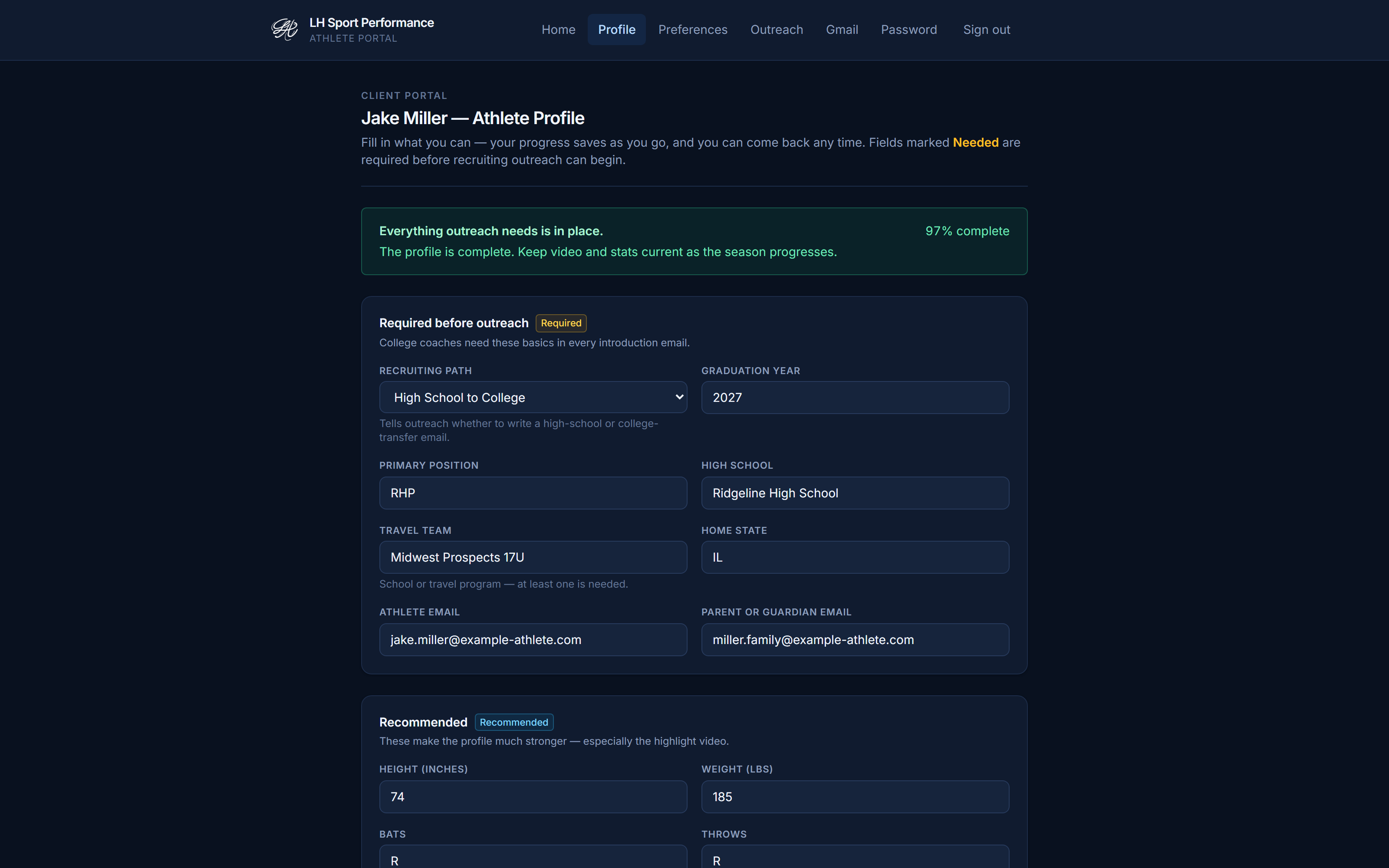
The athlete profile — measurables, academics, video, schedule. - 02
Choose programs & divisions
Recruiting is targeting, not volume. You decide where your outreach goes.
- Pick the states and divisions that fit your goals — NCAA D1, D2, and D3, NAIA, NJCAA D1–D3, CCCAA, NWAC, and USCAA are all covered distinctly.
- Behind your choices sits a database of 7,000+ college coach contacts, filtered to the staff roles that matter for your position — a pitcher's list leads with pitching coaches and recruiting coordinators.
- You can widen or narrow the target list as your recruiting picture develops.
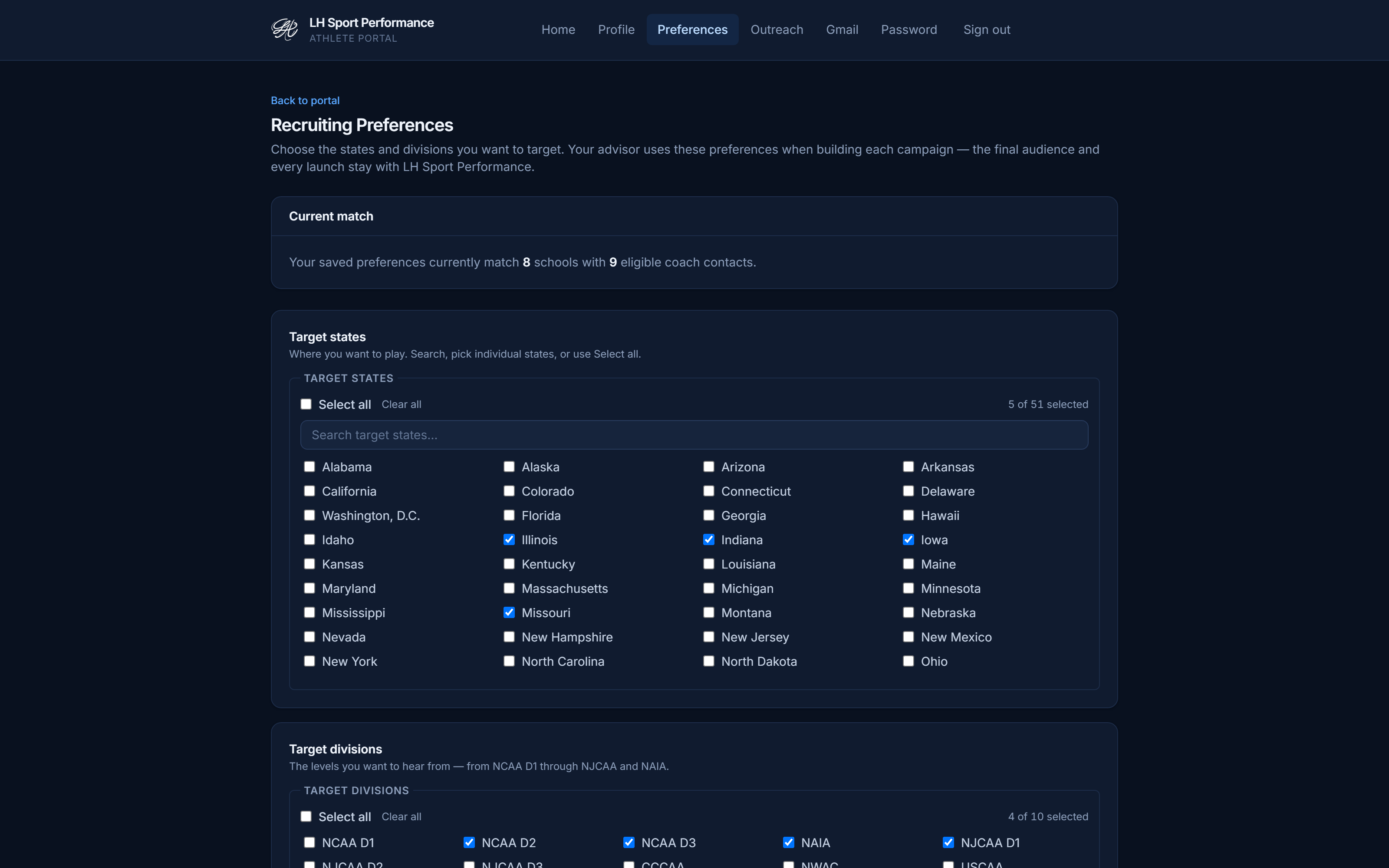
Targeting — divisions and states, chosen by you. - 03
Write your email with the Studio
The Email Writing Studio helps you say it well — in your own voice, with your approval on every word.
- Draft your subject line and body, or use Generate Three Options to see three different angles and pick the one that sounds like you.
- One-click refinements — Make More Natural, Make Shorter — help you polish without losing your voice. Nothing is ever applied automatically; you accept or reject every change.
- Preview exactly how the email reads for each school before anything goes anywhere. The final draft is always human-approved: yours.
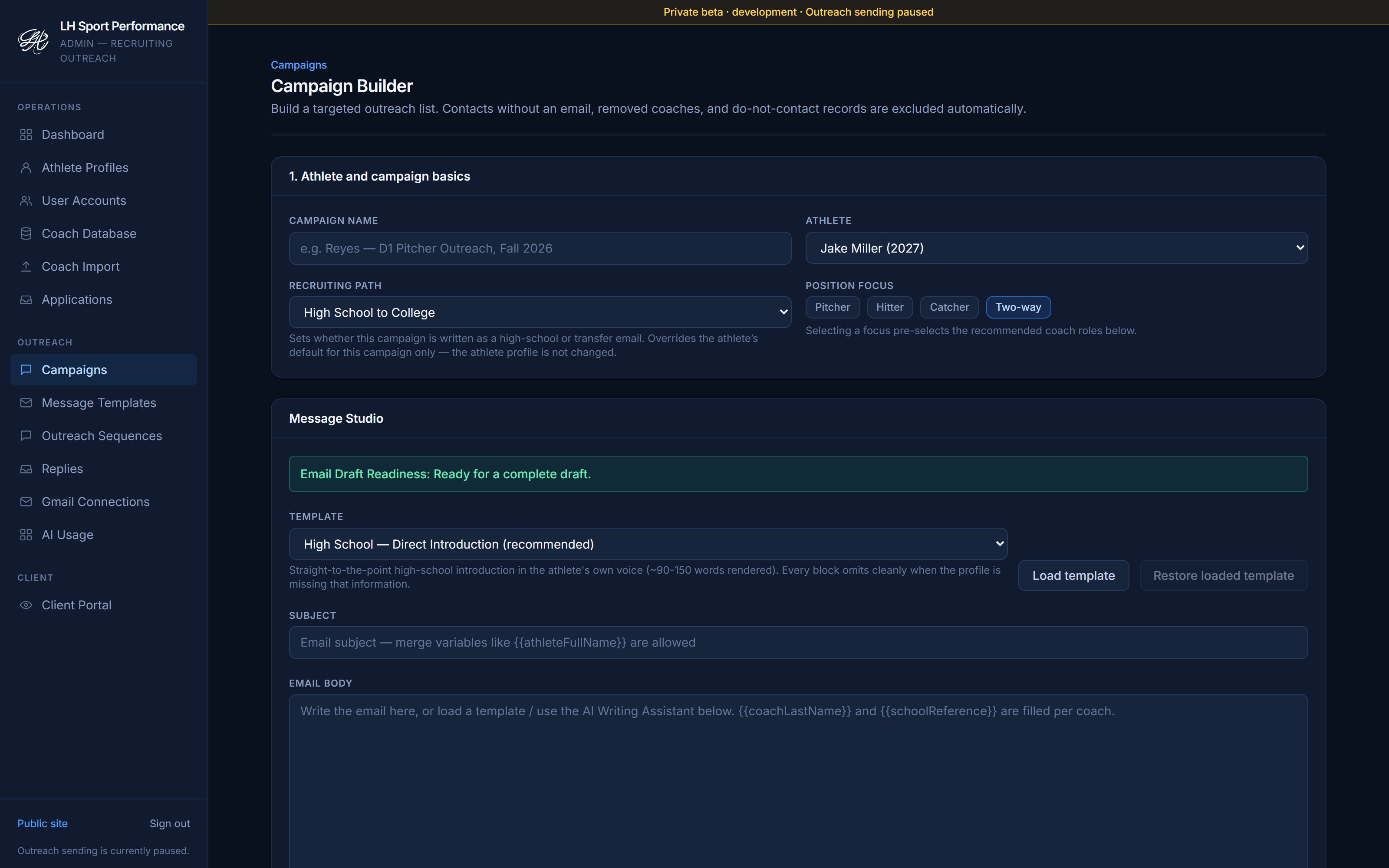
The Email Writing Studio — drafts you control, line by line. - 04
Connect your Gmail
Coaches hear from you — from your actual email address — not from a service.
- You connect your own Gmail through Google's official sign-in (OAuth). You never share your password, and you can disconnect at any time from your Google account settings.
- Emails send from your address, and coach replies land in your Gmail like any other message.
- The platform reads delivery and reply metadata only — never the contents of your inbox. And nothing ever sends just because you visited a page.
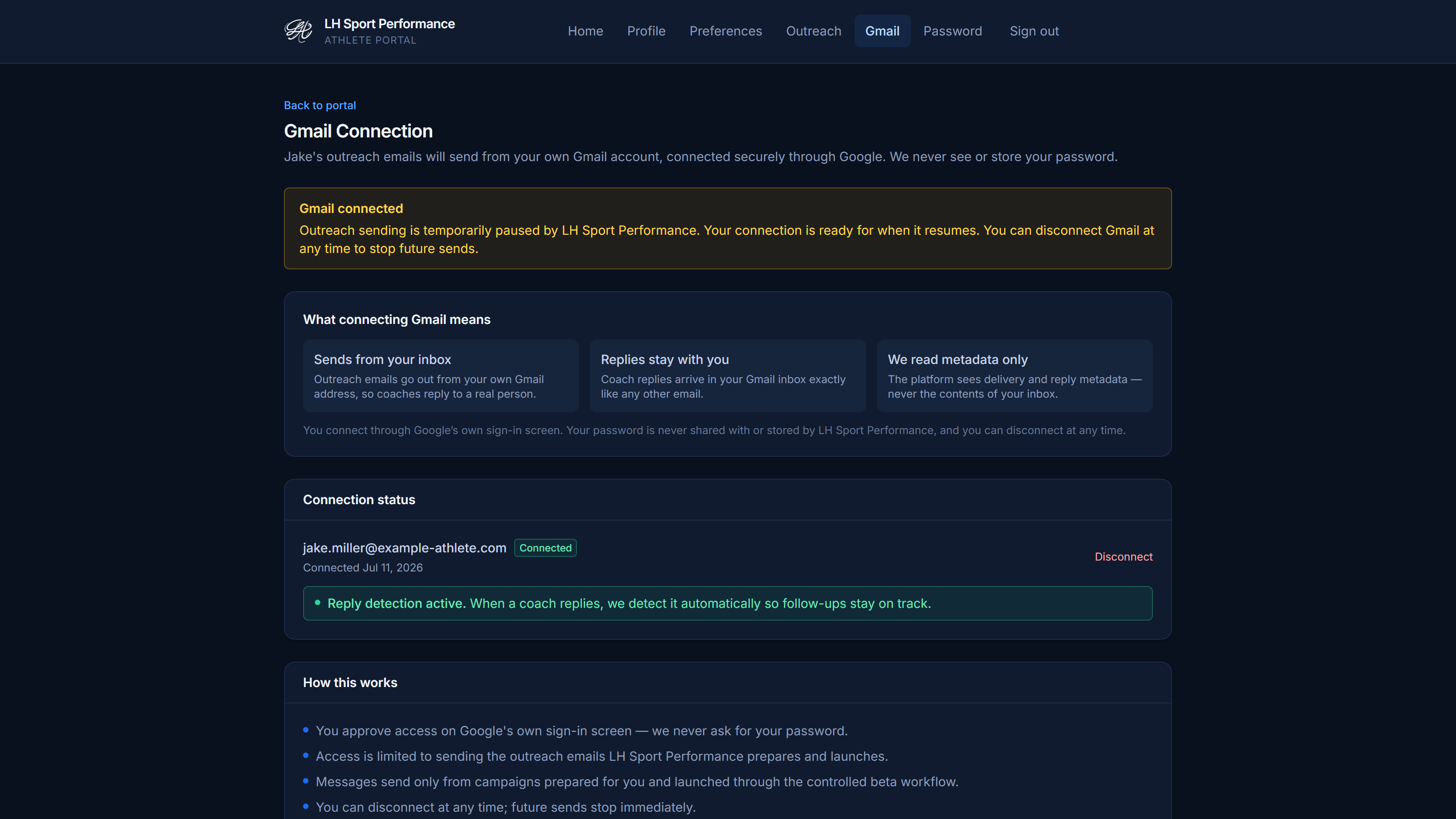
Gmail connection — your address, your control. - 05
Send carefully & track replies
Launching a campaign is a deliberate act, and the pace is built to protect your name.
- A campaign only starts after you deliberately confirm it — with a full preview of who gets what. No surprise sends, ever.
- Volume stays professional: up to 20 emails per day, weekdays between 9am and 4pm Eastern, one active campaign at a time, and no coach is ever emailed twice by accident.
- Your dashboard tracks what was sent and what came back. The platform is designed to detect reply status through Gmail metadata, and follow-ups to a coach are stopped once a reply is detected or recorded.
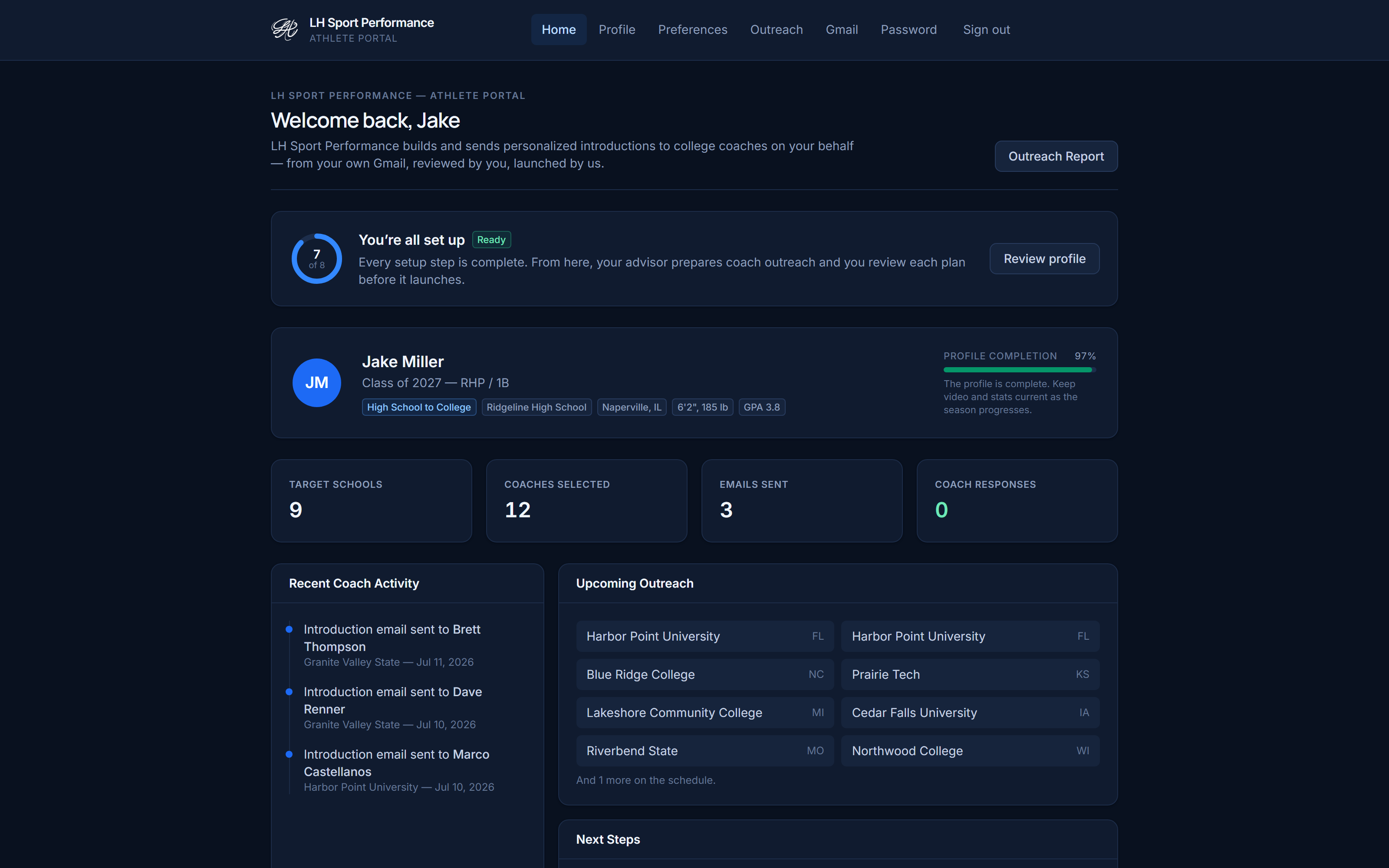
The athlete dashboard — every send and every reply, visible.
Built for more than one path
High school athletes, JUCO and four-year transfers, grad-year players, and the families helping them run the process — the same five steps work for each path.
Ready to run your recruiting like it matters?
We’re in private beta and onboarding a small number of athletes at a time. Tell us about yours — we reply personally, and there’s no obligation.